Showing posts with label calendars. Show all posts

Time Management Tips for Teachers: Simple and Easy Monthly Menu Planning


You've worked hard All. Day. Long.

You arrive home, and the first words out of your family's mouths is, "What's for dinner?"

There are no high fives for an awesome day.  

There is no sympathy or concern about the rough day you experienced.

There is no talking through it.

No, you've come home to a hungry crowd, and they are demanding to be fed.

Wouldn't you love to change all of the above?

The answer is so easy and simple.  

Monthly menu planning will help with time management in your life.

You'll even find that you have time for some rest and relaxation each afternoon.

Best of all is that your family will be invested and involved with this plan, taking some of the responsibility off of your shoulders!

Easy Menu Planning


Steps for Easy Menu Planning

Step 1: Make a list.

What are your go-to meals?  What about elaborate meals?  What are your all-time favorite meals?

Brainstorm a list of these meals.  I like to use this FREE form to make a master list.  

Step 2: Plan meals around the ingredients you have.

By planning meals around the items in your pantry, refrigerator, and freezer and the list of items you plan to purchase, you will save time during the month by not making multiple trips to the grocery store.


Step 3: Include your family.

Including your family once a month for menu planning is a great learning activity for your kids and keeps everyone involved and invested.  Have your family help fill out the "Master List of Menus" you downloaded above.  Make sure that each family member has his or her favorite dishes and meals included each month.


Step 4: Plan out Your month on a calendar.

I like to plan my month in PENCIL.  Inevitably, something happens to change at least one night during the month.  Think about these things before listing your meals:

  • Is there a set night of the week for church, sports, meetings, etc.?
  • Is there an activity (conferences, PLC, faculty meetings, kids' soccer practices, piano lessons, etc.) one or two afternoons a week that makes you arrive home later? 
  • Is there a day of the week when you are always super tired?  (Mine is always Monday and Thursday)
  • Do you like cooking a big Sunday meal?
  • Do you have the same meal one night a week (ex: taco Tuesday or pizza Friday)?


Keep these answers in mind as you pencil in your monthly menus.  My personal plan always includes:
  • one or two "easy" nights each week
  • a night for someone else to cook (Remember, even younger children can put a loaf of bread, cold cuts, chips, and plates on the table.)
  • a leftover night (Keep younger children busy while you rest by letting them make menus of the foods available.)

Refer to #3 above, and include your family.  Let each family member choose his or her favorite meal, and pencil it in on a night that will work best.  

Complete the entire month, and hang the calendar on the fridge so that all family members have access.

(Don't forget to save this pin to your favorite Pinterest board so that you can refer to this post as needed.)

Simple and easy menu planning for tired teachers


Step 5: What's for Dinner?

Each night of the week, quickly check your menu for the next evening's planned meal.  Prep ingredients, or remove items from the freezer that need to thaw in the refrigerator overnight.  Set out the crockpot if you need to add items the next morning before heading to school.  

You will no longer have to start thinking about your "second job" of cooking dinner every night.  You can now come home to rest and relax for a bit because you have a plan in place for the evening's meal.

Best of all, when your family asks, "What's for dinner?" Just point to the refrigerator while laying on the couch without opening your eyes or saying a word.  

Sign up for e-mail!


Helping you with a plan and some rest time after a long day of work, that's just...

My Kind of Teaching


Classroom Management Tools: Using a Calendar to Maximize Time Management in Your Classroom

Using a calendar to help with time management can be elaborate or simple, expensive or frugal, and anywhere in between.  The important thing is to use one that works best for you.


RELATED:  Editable Calendars and Newsletters


The main purpose of using a calendar in your classroom is to make your life easier.  Planning out your week, month, and year is one of the easiest ways to keep everything running like a well-oiled machine and help with time management in the classroom.


Simply put, a calendar is one of the most efficient classroom management tools at your disposal. 


Use these ideas to master your calendar and manage your time for maximum results throughout the year.


1. Map out your year. Pencil in the units you will be teaching this year using your district curriculum map so that you know what you will be teaching and when.  It doesn’t have to be elaborate, but putting it down on the calendar will help you with dates.


RELATED:  No Prep Centers for August


2. Add important dates, such as holidays, parent conference dates, early release days, etc.  During the year, you will be glad to have these details available to you in one central location.  


3. Write recurring events, such as monthly faculty meetings, weekly PLC meetings, changes to your daily routine (i.e., library every other Wednesday @ 10:00, etc.).


4. When you get your class list and student information, add your students birthdays to your calendar.


RELATED:  Morning Tubs Setting the Tone for Success This Year


Now that you have everything that is readily known to you at the beginning of the year in one central location, weekly and monthly planning will be so much easier.  You have a roadmap ready to go.  Knowing where you are going this school year is a huge stepping stone to maximize time management in your classroom.


Grab a freebie to help you with more time savers with these FREE No Prep Centers!


Helping you work smarter and not harder this year is just...

My Kind of Teaching


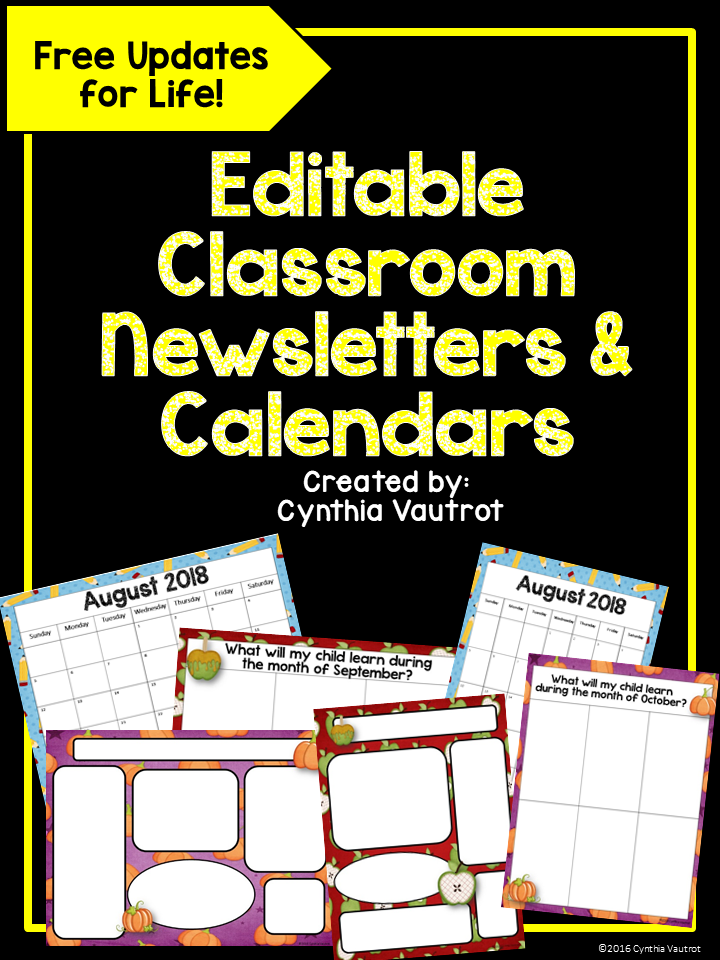
Editable Calendars and Newsletters

This past year, we became a 1:1 digital classroom.  During "Meet the Teacher Night", I had Chromebooks set up all over the classroom for parents.  They filled out all of the information I needed through Google Forms.  It was great having everything I needed all nice and neat in a Google Spreadsheet!  I was especially excited to get their email addresses.  Can you believe that I got all but three?  WOW!  I had never had it so easy before.

(Please note that this blog post has affiliate links.  This means that if you purchase using the links, I receive a very small commission that helps me with the upkeep of my website.  However, this doesn't add to the price of the item for you.)

By having their email addresses, I was able to keep parents up to date with things going on in our classroom, as well as share my Google Calendar with them.  While this was all very exciting, I still felt that it was important to do things the "old-fashioned" way and send home a parent letter and a calendar.  Sometimes, it's all about having things at the touch of a fingertip.  Other times, it's all about having that information in your hand.

Editable calendars and newsletters


I LOVE these calendars I designed a few years ago.  (Did you know that if you purchase once, you can download the updated calendars again each year for FREE?)  I love to change to a different design each year.  In fact, I usually do one in color for myself and the black and white editable calendar for parents.

Each editable set includes both landscape and portrait orientations for your convenience.  Each set also includes an editable monthly newsletter and an editable weekly newsletter.


Portrait editable newsletterLandscape editable newsletter


Editable covers that can be personalized are also included!

Editable covers

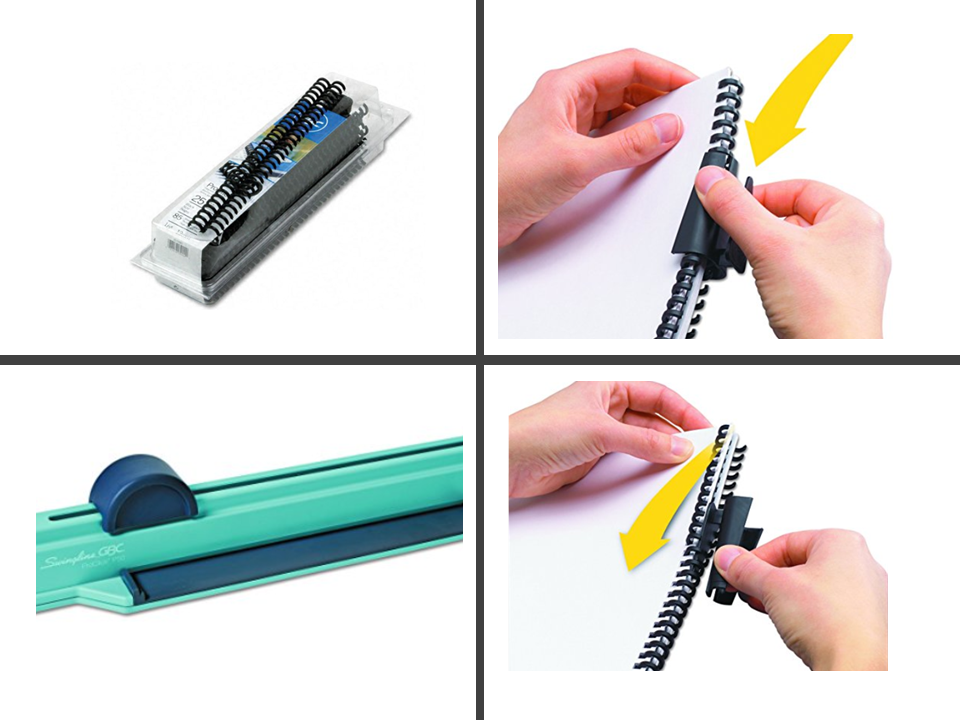
These calendars can be printed and placed in a notebook.  Do you want them to look more professional like some of the expensive ones out there?  I purchased this binder several years ago, and I'm so happy I did!  I've used it for so many things!  (Don't forget that it can also be used as a tax deduction...whoo-hoo!)


Click spines

You'll definitely want a pack of these click spines that can hold up to 85 pages!  These are also reusable, so once you have both of these, you are set for YEARS!!


You can find these calendars in a variety of themes.  This year, I’m using turquoise and lime green, as these are my favorite colors.


Editable newsletters

You can also find these themes: year-round, black and white (I think this one is so elegant and was my calendar choice last year), scrappy, polka-dots and glitter.  These calendars are so inexpensive that you can buy more than one to swap out your theme.


Orange newsletter

Green Newsletter

Purple newsletters

Yellow newsletter

Included with your download, you will also find a "How to Use This Product" guide.  I want you to get the most bang for your buck because that's...

My Kind of Teaching!

See you soon,